Manage your billing & class times — anytime
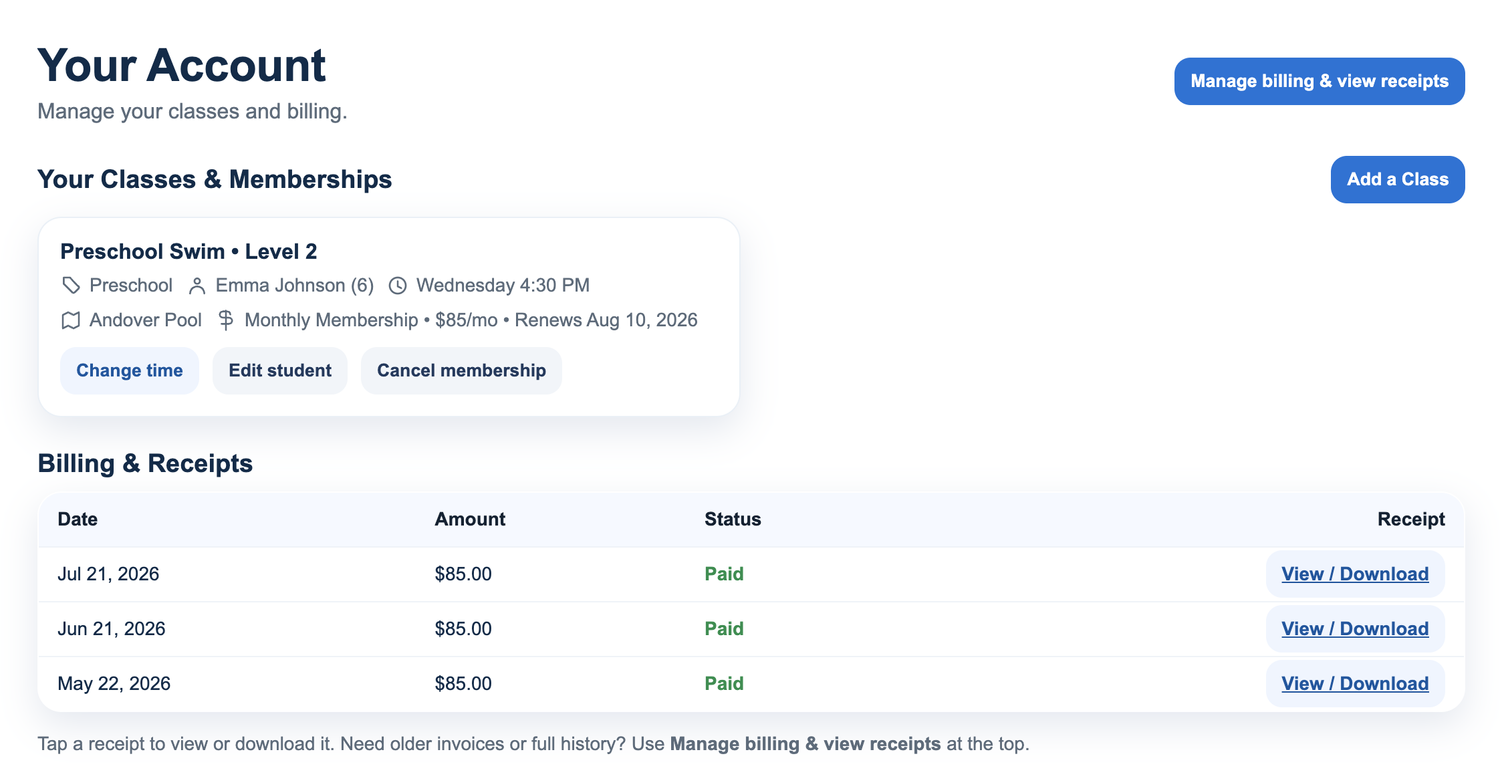
Your account page puts you in control. In just a few clicks you can view your invoices and receipts, or switch your swimmer to a class time that fits your week. Here's how it works.
View your invoices & receipts
Need to check a payment or download a receipt? You have two easy ways to find everything, right from your account page:
Change your class time
Plans change — and that's completely okay. If a different day or time works better for your family, just click Change Time next to the class your swimmer is enrolled in.
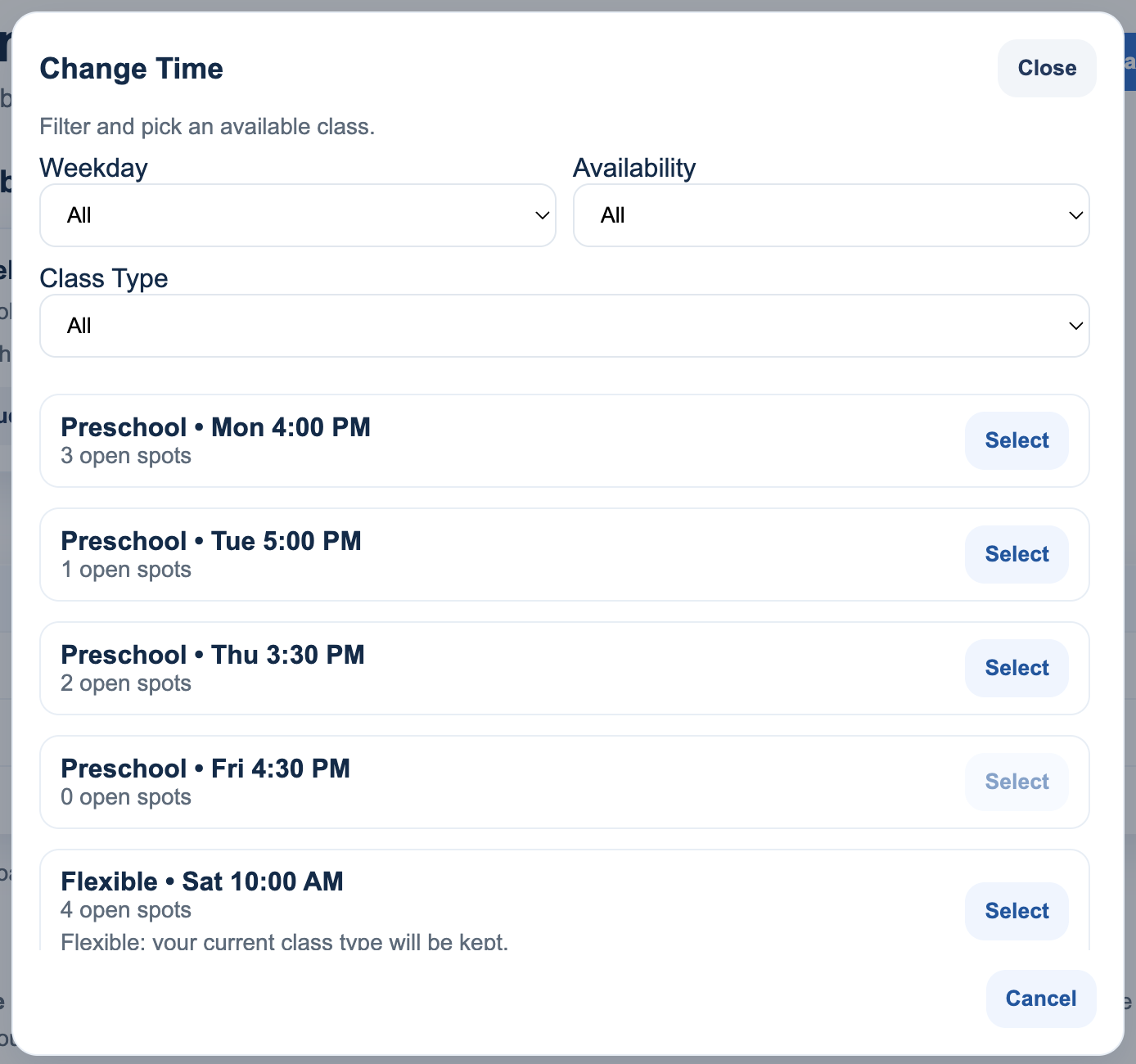
You'll then see all the available class times you can switch to. Choose the one that fits your schedule, confirm, and you're all set — no phone call or email required.
Questions? We're here to help.
If you ever get stuck, reach out and we'll be happy to walk you through it.